
Most reviews of AI tools read like press releases. I've written a few of them myself, years ago, and they almost always leave out the parts that are genuinely annoying. So I tried to do the opposite here: thirty days, a real workload, and an honest accounting of what MiniMax is actually like to live with.
Short version: I kept my Pro subscription. Not because it's perfect — it isn't — but because the unified multimodal workflow saved me real time, and the things I didn't like were things I could work around. The longer version, with the specific things that worked and the specific things that grated, is below.
How I tested (and what I was making)
To make this useful rather than generic, here's the workload I brought to it:
- Short-form video clips for a newsletter (about 4–8 seconds each, social-vertical format)
- Hero stills for blog posts and LinkedIn carousels
- Voice-overs for short explainer clips
- Background and prop variations for product mockups
I ran on the Pro plan for the full 30 days. I tracked token spend in a spreadsheet. I did not optimize for "look how impressive this is" — I optimized for the things I actually needed to ship that week.
If you want a primer on the platform's broader positioning, the "What is MiniMax AI" overview is a fair starting point. For the pricing side, my token plans breakdown covers what each tier actually unlocks.
What genuinely worked
Three things earned their keep in the first week and stayed useful through day 30.
1. The unified multimodal workflow
The single biggest time-saver was generating across modalities in one session. I'd prompt a 4-second video clip, then its still-image companion, then a 15-second voice-over to go with it — all with the same visual brief — and the outputs actually looked like they belonged together. On standalone tools, this kind of consistency is something I usually have to fight for.
For weekly newsletter production, this collapsed what used to be a half-day of asset prep into maybe 90 minutes. That's not a marketing line; it's the time difference I logged in my own notes.
2. Image generation, in the sweet spot
For the "I need a clean, on-brand hero image" use case, MiniMax's image quality was consistently good. Style transfer was a real feature, not a checkbox — I could ask for a hero in a specific reference artist's style and get something usable most of the time. About 7 out of 10 generations were usable as-is or after a minor crop; the other 3 needed a re-roll or two.
3. The prompt guidance inside the dashboard
I'm used to staring at a blank prompt box. The in-app prompt guidance — suggestions, example phrasing, and a live "you're spending X tokens" indicator — was more useful than I expected. It's the kind of small thing that lowers the cost of learning.

What grated — the honest cons
No tool is all upside, and pretending otherwise is the fastest way to write a useless review. Here are the things I genuinely hit during the month.
1. Long video clips are queue-bottlenecked
Short clips (4–6 seconds) felt snappy. Anything 10 seconds or longer was a different experience: queue time, occasional restarts, and a few generations that failed and required a manual re-run. If your production pipeline depends on consistent 10–15 second clips, plan for queue time and have a fallback. This wasn't a deal-breaker for me, but it's a real ceiling.
2. Voice cloning quality varies
Standard text-to-speech voices were reliable. Cloned voices, the kind you build from a reference sample, were hit-or-miss. Some of my clones sounded close enough to use; others had artifacts and an uncanny cadence that made them unusable for the project. I'd budget extra time if voice cloning is core to your output.
3. Token math is opaque until you've burned some
This is the single most common source of friction I saw in online communities too. The dashboard tells you how many tokens a generation will cost after you've already committed to it. For a creator, that's backwards. I'd prefer a live pre-flight estimate I can trust before pressing the button. It works, but the first month you'll second-guess every generation.
4. The export pipeline could be tighter
Downloading assets, organizing them by project, and pushing them into the rest of my production stack (DaVinci, Figma, Notion) was friction I had to script around. A direct "send to Figma" or "send to Drive" would save real time. As of my testing, I had to download and re-upload.
5. The free / Starter tier is for learning, not producing
You'll go through the Starter tier in a weekend if you're generating actively. That's not a complaint — the Starter plan is priced as a learning tier — but it's worth knowing up front. Don't budget your production work against the Starter allowance.
Output quality, by modality
Here's the honest quality breakdown from my runs, expressed as "out of 10 generations, how many were usable without a re-roll." Your mileage will vary by prompt, but this is a useful baseline.
| Modality | Usable on first try (my testing) | Notes |
|---|---|---|
| Image — standard 1024×1024 | ~70% | Strongest modality. Style transfer works well. Minor crops usually enough. |
| Image — 4K / high-res | ~60% | Quality is good, but token cost is steep. Worth it only for hero assets. |
| Video — 4–6 second clips | ~60% | Snappy queue, consistent style. Re-rolls were cheap. |
| Video — 10+ second clips | ~40% | Queue time, occasional failures. Plan for a fallback. |
| Text-to-speech (standard voices) | ~80% | Reliable. Standard voices were production-ready most of the time. |
| Voice cloning | ~50% | Highly variable. Budget extra time to find a good clone. |
| Long-form LLM tasks | ~85% | Composed of tokens you barely notice; quality is competitive. |
What it actually cost me
I logged my token spend every week. Here's the rough breakdown, anonymized:
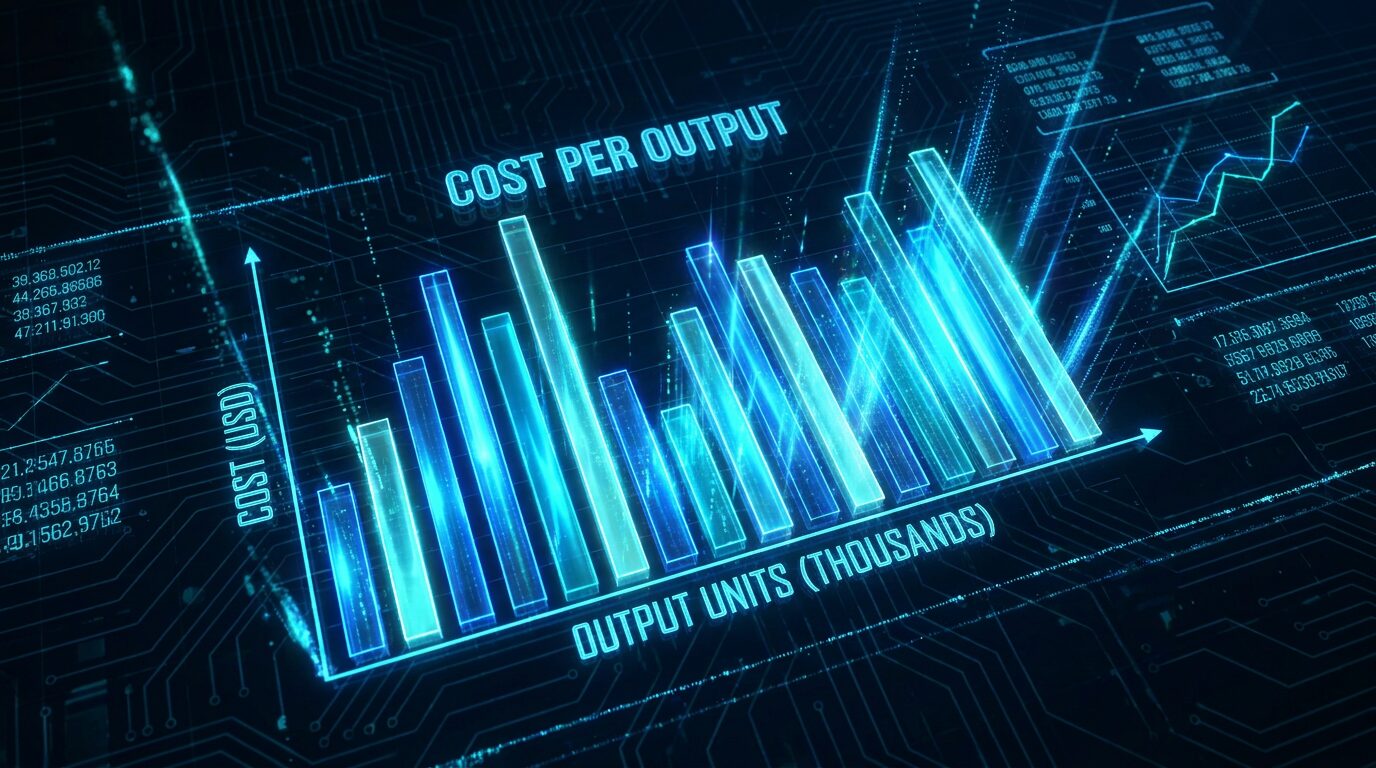
The shape of the curve is more useful than the absolute numbers. Week 1 was an exploration spike — I burned through a chunk of tokens figuring out what worked. Weeks 2–4 settled into a steady weekly burn that was sustainable on the Pro plan. By week 4, I was budgeting tokens the way I budget disk space: with a clear sense of what each generation cost and what it returned.
The Pro plan, for the workload above, was the right ceiling. I considered upgrading to Business for the team seats and queue priority, but for solo production it's overkill.
For a more granular way to estimate your own usage, the token cost calculator walks through per-task estimators. And if you're trying to figure out whether Pro is the right tier, the plan breakdown covers the trade-offs.
Feature-by-feature ratings matrix
Below is my honest feature-by-feature rating after 30 days of active use. I tried to score against what a working creator would actually need, not against a generic checklist. Five stars = best-in-class for the price; one star = real friction, workaround required.
| Feature / dimension | Rating | Honest take |
|---|---|---|
| Image generation quality | ★★★★★ | Strongest modality. Style transfer and brand consistency are real features. |
| Short video (4–6s) quality | ★★★★☆ | Good. Snappy queue, consistent style. A re-roll or two gets you there. |
| Long video (10s+) quality | ★★★☆☆ | Variable. Queue time, occasional failures. Plan for a fallback. |
| Text-to-speech (standard voices) | ★★★★☆ | Reliable. Production-ready in most cases. |
| Voice cloning | ★★★☆☆ | Hit-or-miss. Budget extra time; some clones are unusable. |
| Unified multimodal workflow | ★★★★★ | Best-in-class for the price. Real time-saver on weekly content. |
| Prompt guidance & in-app help | ★★★★☆ | More useful than expected. Lowers the cost of learning. |
| Token cost transparency | ★★☆☆☆ | Opaque before commit. You only know the cost after the run. |
| Export / handoff to other tools | ★★★☆☆ | Works, but manual. Native integrations would be a clear win. |
| API access (Pro and above) | ★★★★☆ | Sensible docs, sensible defaults. Fine for light scripting. |
| Commercial usage rights (Pro+) | ★★★★★ | Clear, included. Removes a real category of risk for working creators. |
| Queue reliability | ★★★☆☆ | Short jobs feel snappy; long jobs feel queue-bound. Mostly OK. |
| Value for money (Pro, $39/mo) | ★★★★☆ | Justified if you're shipping weekly. Hard to justify if you aren't. |
| Onboarding for beginners | ★★★★☆ | Forgiving. The Starter tier is cheap enough to learn on. |
| Overall, for working creators | ★★★★☆ | 4.1 / 5 — worth it, with the caveats above. I'd subscribe again. |
So… is it worth it?
Here's the framework I landed on after 30 days:
MiniMax is worth it if… you're producing at least weekly, you need commercial rights (you almost certainly do, even for monetized social), and you'll actually use the multimodal stack — image, video, and voice together. The unified workflow is the headline value, and it's the thing competitors don't match at the same price point.
MiniMax is probably not worth it if… you only need occasional images and don't need commercial rights. The Starter plan is fine for learning, but a free or single-purpose tool will probably serve you better for low-volume use. Also, if your production depends on long video clips, plan around the queue ceiling — it's the most common real-world friction point.
Who I'd recommend it to
- Solo creators producing a weekly newsletter, podcast, or short-form social
- Small content teams that need consistent visual style across assets
- Anyone building AI generation into a product or workflow (Pro unlocks the API)
- Creators who need commercial usage rights and want one bill for it
Who I'd skip it for
- Casual users who only need a handful of images per month
- Workflows that depend on 15+ second video clips as a daily output
- Anyone who needs reliable voice cloning as a primary deliverable
The honest bottom line
I kept the subscription. The unified workflow is genuinely the best part, and the price is fair for what I get. The token math is annoying until you learn it, voice cloning is variable, and long video is queue-bound. None of those are deal-breakers for me, and the things that work really work.
I'd rather a tool be honest about its ceilings than pretend they don't exist. MiniMax mostly does, and that earned my second month.
Frequently asked questions
Is MiniMax AI worth paying for?
In my 30 days of testing, yes — if you actually use the multimodal stack. If you only need occasional images and have no commercial use case, the free tier or a cheaper single-purpose tool is probably enough. The Pro plan at $39/month pays for itself once you're producing dozens of outputs per week.
What does MiniMax do better than its competitors?
The unified multimodal workflow. Generating a video clip, its voice-over, and a matching still image in one session — with consistent style across outputs — saved real time on social content production. Standalone competitors often do one modality better, but the integrated pipeline is the headline differentiator.
What are the biggest downsides of MiniMax?
Three I hit consistently: long videos are queue-bound, voice cloning quality varies more than the marketing suggests, and token math is opaque until you've burned through a few thousand tokens. None are deal-breakers, but they should shape your expectations.
How long does a typical video generation take?
On Pro priority queue, a 4-second clip took roughly 60–90 seconds end-to-end in my runs; longer 10-second clips stretched to several minutes. Plan for queue time, especially during peak hours, and batch generations rather than running them one at a time.
Is MiniMax good for beginners?
Mostly yes. The dashboard is straightforward, the prompt guidance is helpful, and the Starter plan is cheap enough to learn on. Where beginners tend to stumble is token math — knowing how many tokens a given generation will burn before committing. Reading a quickstart before you start helps a lot.
Try it for a month and judge for yourself
If you're a working creator producing weekly, the Pro plan is the cleanest way to find out whether MiniMax fits your workflow. Start small, watch your token spend, and upgrade only when the volume tells you to.
👉 Get Your Token Plan*Affiliate link — we may earn a commission at no extra cost to you. We only recommend tools we'd pay for ourselves.